The core idea
You don't fill the board. It listens and fills itself.
Most task tools start empty and wait for someone to type. Taskyard starts from what already happened.
Drop in what already happened
Paste a meeting transcript, forward a message thread, or leave a quick voice note — whatever your team already does to communicate.
The companion extracts the work
It reads for commitments, owners, and deadlines — "I'll send the draft Friday" becomes a task, assigned, with a due date.
Tasks appear, already assigned
The board updates itself. You review and adjust if needed — but nobody had to open it and type a thing.
One companion, two speeds
Works for you alone. Scales to your team.
The same companion, whether it's just you or a whole team relying on it.
Your own companion
Turn your own calls, notes, and voice memos into a tracked list — without opening a board to maintain it.
- Paste a transcript, get tasks with deadlines
- Voice notes become to-dos automatically
- Your AI assistant keeps it tidy through plain chat
Everyone's companion, one feed
Invite people in and the same companion listens across the whole team's meetings and messages.
- Owner / Admin / Member / Viewer per project
- Every extracted task gets an owner automatically
- Every teammate's LLM can reach the same companion
solo companion → invite a teammate → the whole team's meetings feed the same board
What's in the yard
A companion first. A board when you need one.
Everything you'd expect from a task tool — plus the listening layer that means you rarely have to open it.
Meetings become tasks
Drop in a transcript and the companion pulls out action items, owners, and deadlines automatically.
Listens everywhere
Meeting transcripts, forwarded messages, or a quick voice note — however your team already talks.
Assigns on its own
Every extracted task gets an owner and assignee without anyone touching a dropdown.
Follows up for you
The companion nudges owners as deadlines approach — no status meeting required.
Works with every LLM
Claude, ChatGPT, Gemini, Cursor — if it speaks MCP, it speaks Taskyard. One API key, no lock-in.
Roles when you scale
Owner, admin, member, viewer — permissions switch on automatically the moment you invite people.
Works offline
Install as a PWA on iPhone or Android. Keeps working offline, syncs the moment you're back.
Still a real board
Want to edit by hand? A clean kanban view is always there — the companion just means you rarely need it.
Beyond extraction
The companion follows through, too
A trigger, a condition, an action. Set it once, and Taskyard keeps acting on your behalf — whether or not anyone's watching.
Something happens
A transcript comes in, a status changes, a task gets assigned, or a due date hits.
Scoped to what matters
Limit it to a project, an assignee, a priority, or a tag — so it only fires where it should.
It acts for you
Notify the owner, call another MCP tool, hit a webhook, or move the task forward.
Who does what
Roles are there when the team needs them
Solo, you're the owner by default. Invite people and every project gets a real permission model — not everyone touching everything.
Full control
Creates the project, manages members, and can adjust any automation the companion runs.
Runs the board
Reassigns tasks, edits follow-ups, and manages reminders across the whole project.
Does the work
Owns and updates the tasks assigned to them, extracted or typed by hand.
Stays in the loop
Read-only access to track progress without touching a thing.
Demo
See it in action
Swipe or click through the screens.
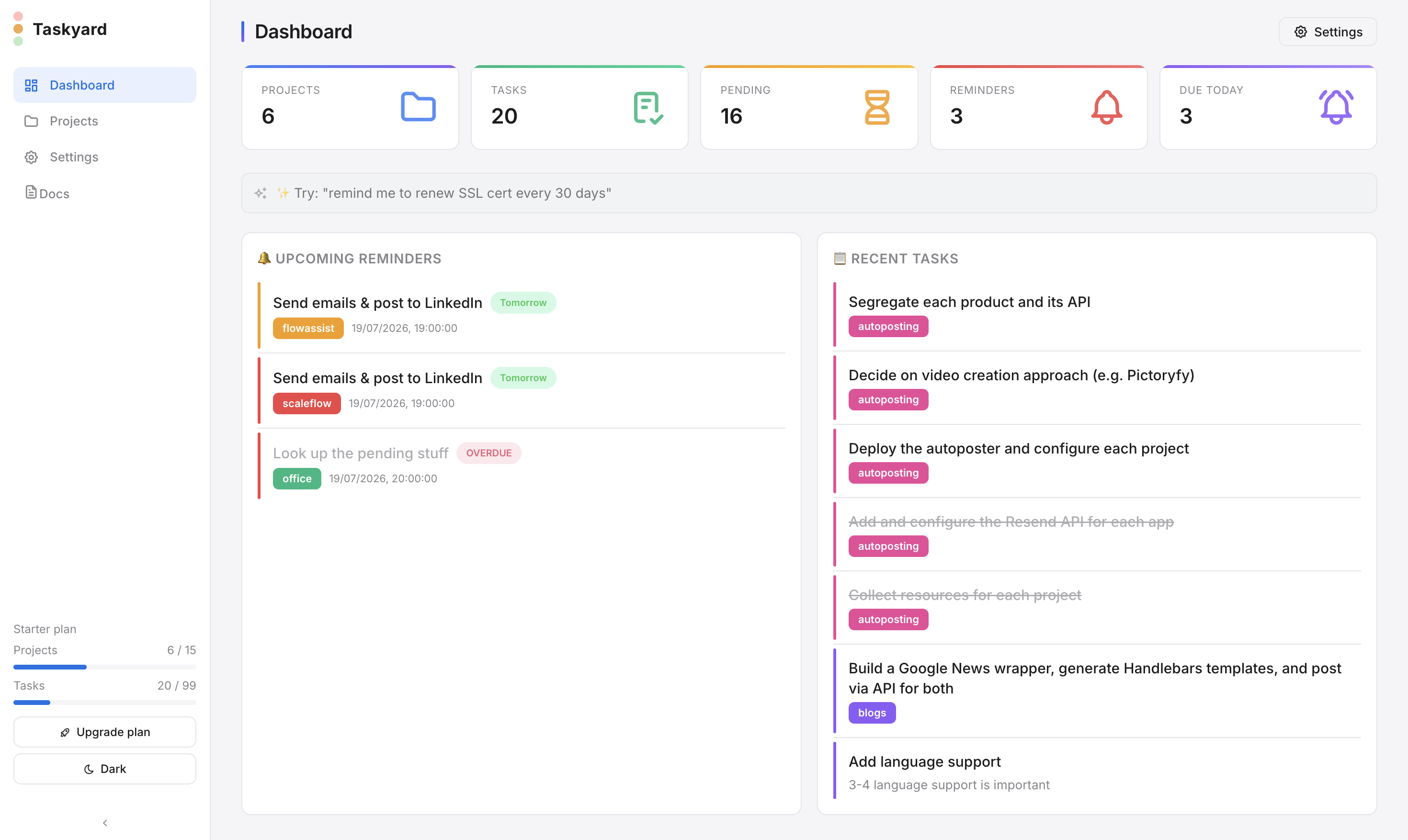
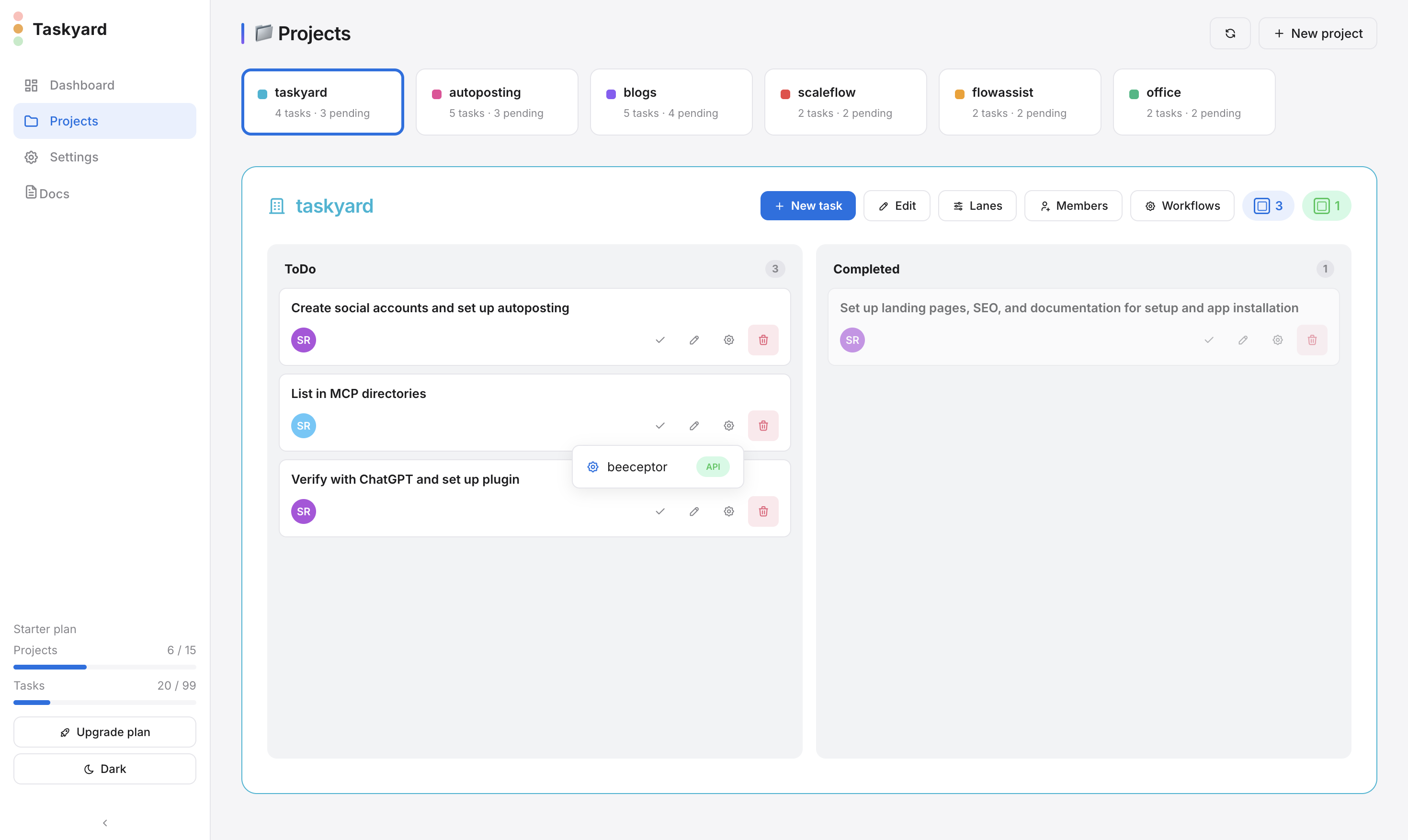
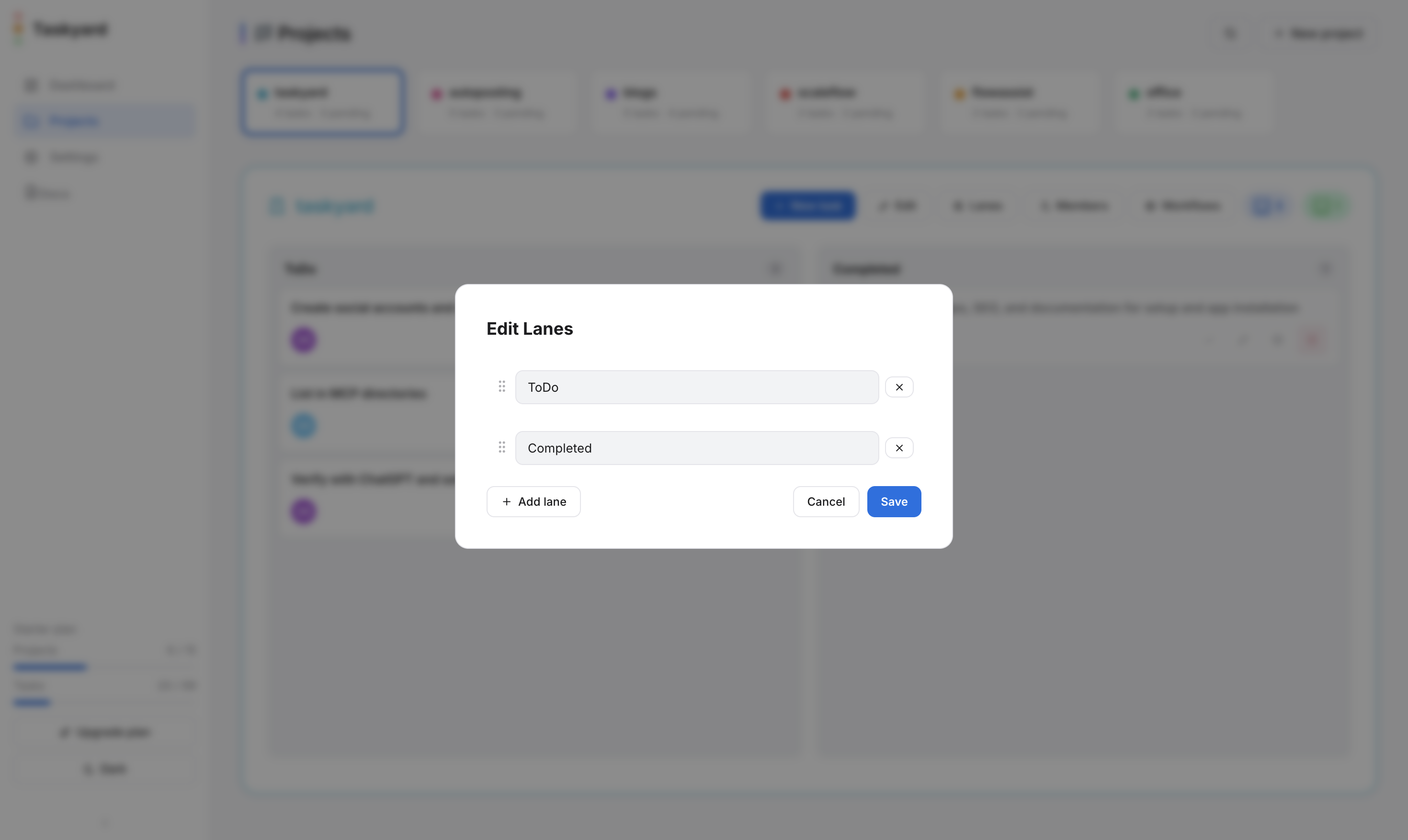
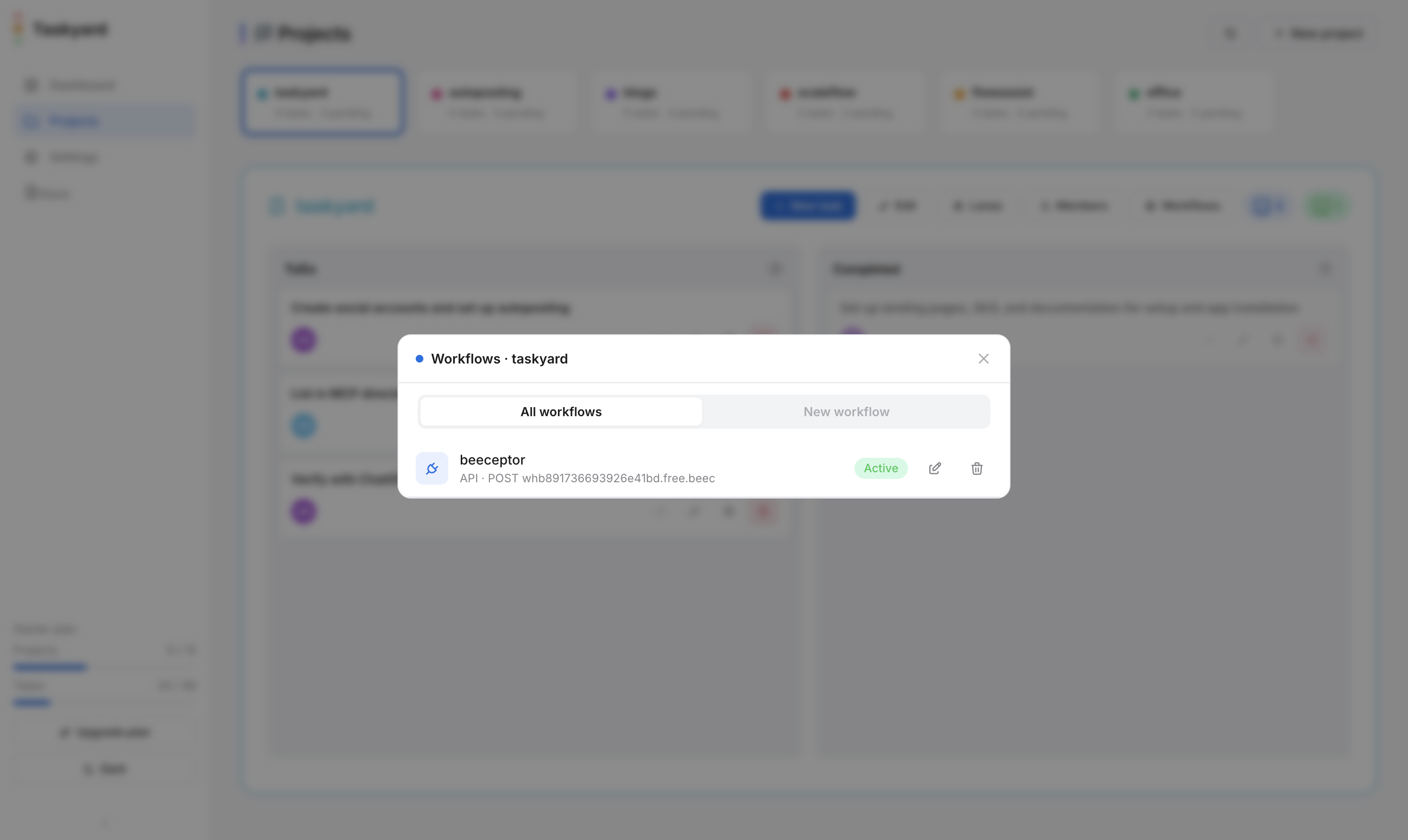
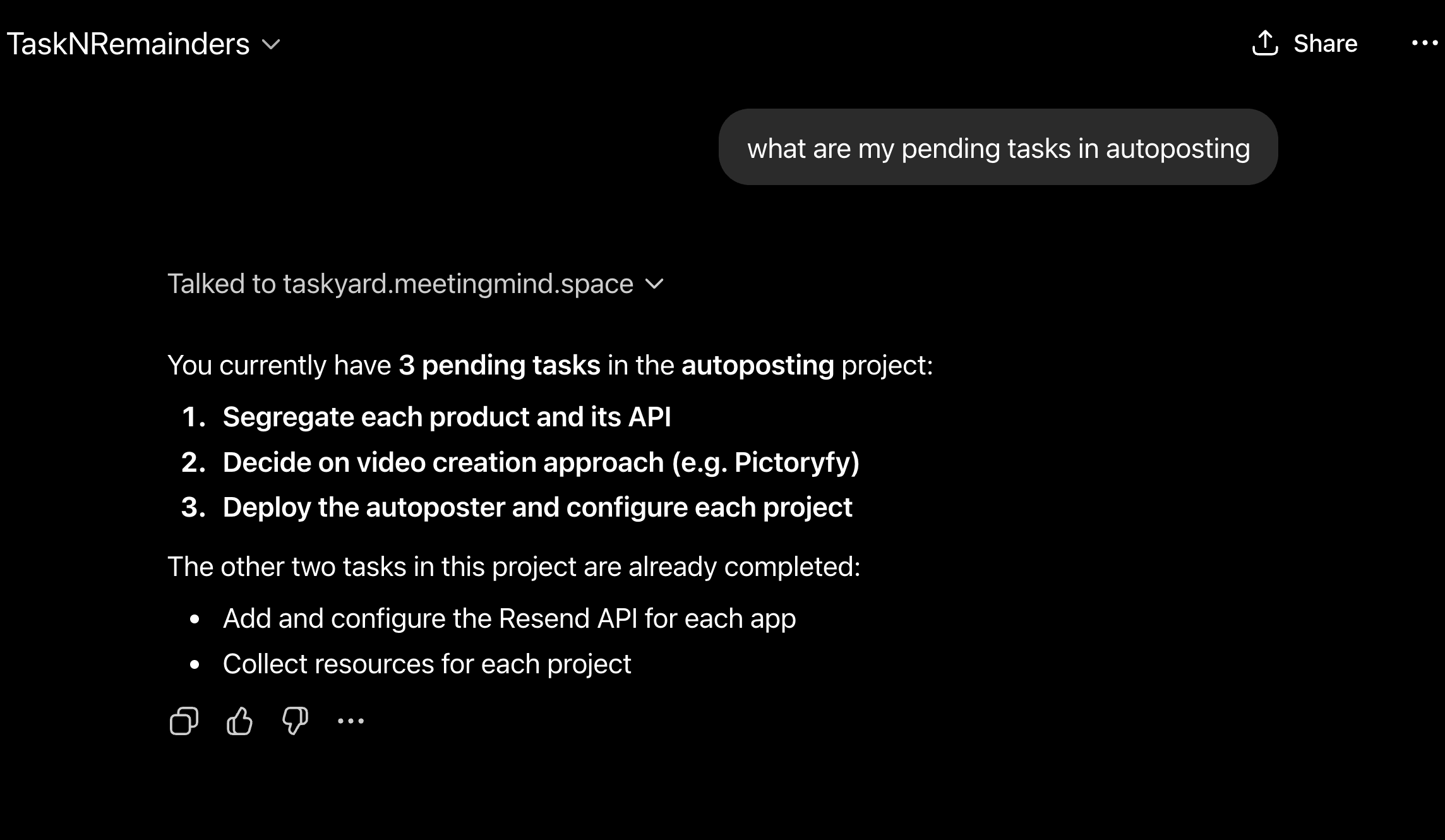
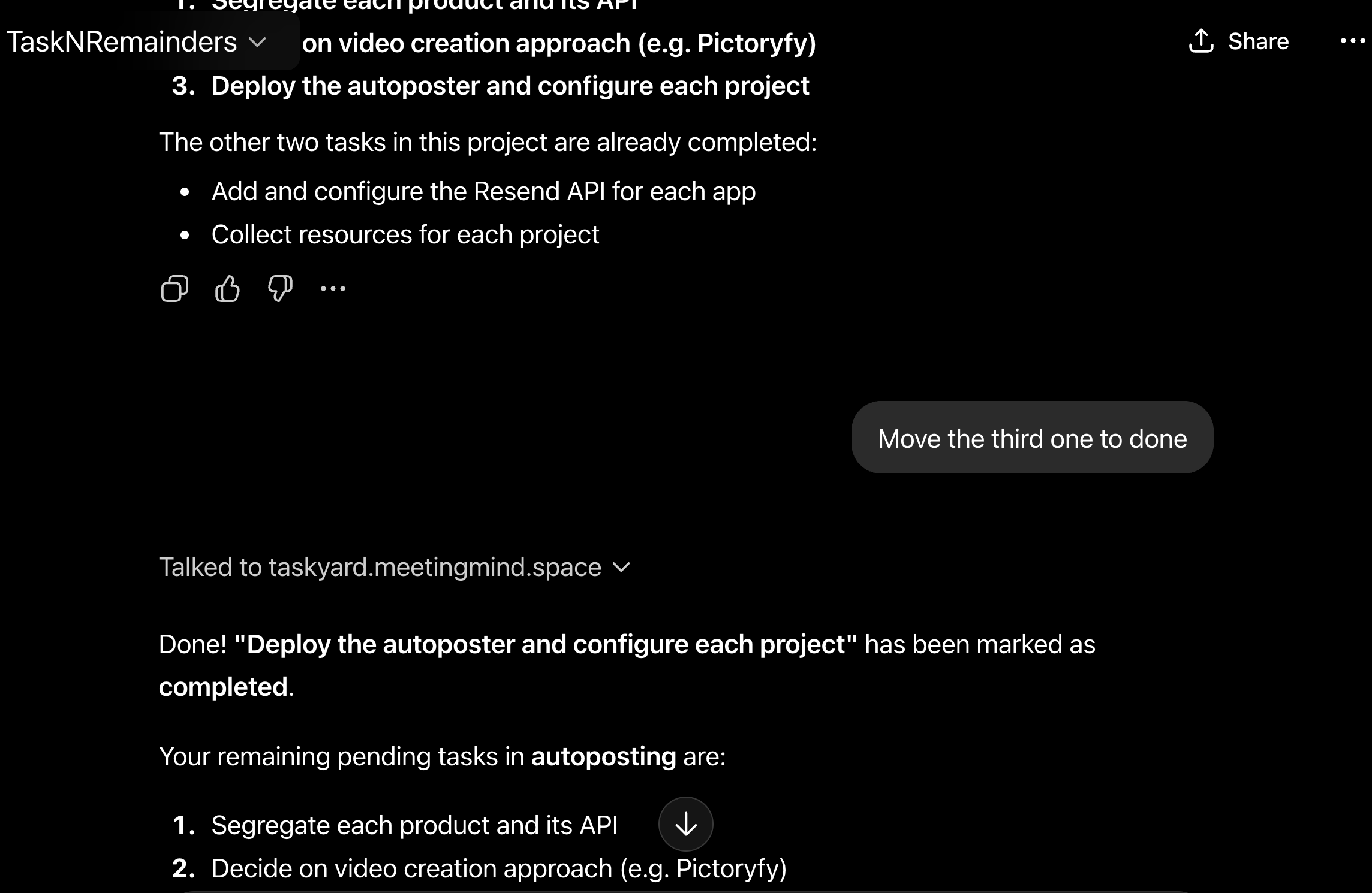
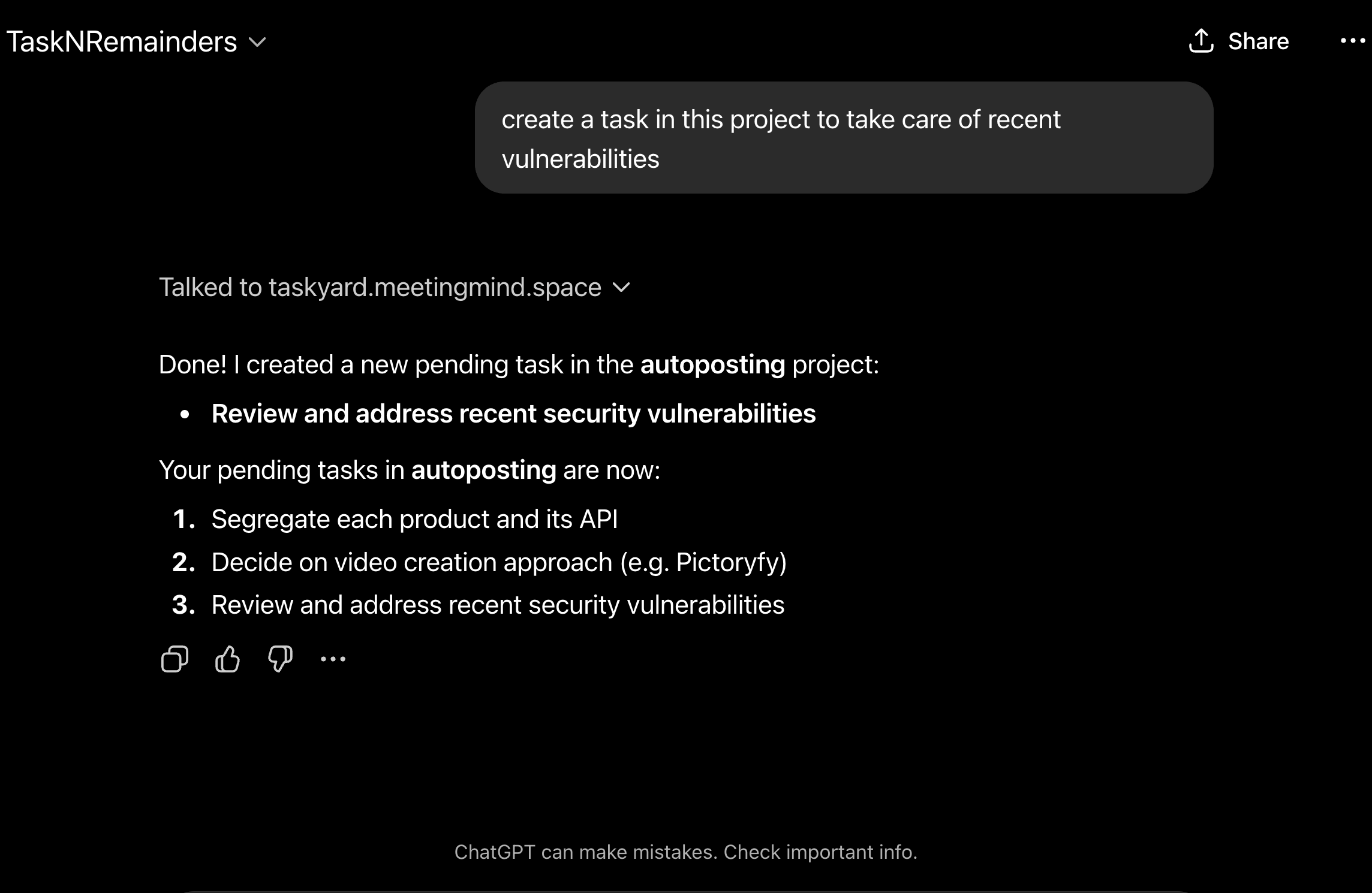
- Dashboard — everything the companion picked up today
- Kanban board — the same tasks, laid out to edit by hand
- Task view — owner, assignee, and reminders on every card
- Projects & roles — owner, admin, member, viewer
- Settings & API — connect your API key to any MCP client
The route
How it works
Five stops between signing up and letting the companion run itself.
Open the app
Sign up with email or Google at taskyard.meetingmind.space
Feed it a transcript or two
Paste a meeting transcript, forward a message thread, or record a voice note.
Watch the tasks appear
Action items, owners, and deadlines show up on the board — nothing typed by hand.
Invite your team
Set roles per member — owner, admin, member, or viewer — and the same companion listens for everyone.
Connect AI (optional)
Generate an API key and connect any MCP-compatible LLM. Create, assign, and follow up by chatting.
Getting started
Pick your route
Install Taskyard on your device, or wire the companion into Claude, ChatGPT, Gemini, Cursor, or any MCP-ready AI you already use.
Open Safari
Taskyard has to be added from Safari — other iOS browsers can't install PWAs. Go to taskyard.meetingmind.space
Tap the Share button
The square-with-an-arrow icon, dead center in Safari's bottom bar.
Tap "Add to Home Screen"
Scroll the share sheet and tap it — usually the second row of actions.
Confirm & tap "Add"
Taskyard is pre-filled as the name. Tap "Add" in the top-right corner.
Launch from the home screen
Opens full-screen, no browser chrome.
Allow notifications
Tap "Allow" when iOS prompts you.
You're all set
Taskyard now behaves like a native app — push reminders and offline access to anything the companion has already extracted.
Open Taskyard →Open Chrome
Navigate to taskyard.meetingmind.space in Google Chrome.
Tap the three-dot menu
Top-right corner of Chrome.
Tap "Install app"
Or "Add to Home screen." Chrome may also show an install banner at the bottom.
Confirm installation
Tap "Install" in the dialog — Chrome adds it to your home screen.
Launch Taskyard
Find it on your home screen or app drawer.
Enable push notifications
Settings (gear icon) → "Enable push notifications."
All done
Taskyard is installed on your Android device — works offline, delivers push reminders.
Open Taskyard →One connection turns Taskyard into a live feed and a control surface for your LLM — it always sees your current tasks, projects, and roles, and can create, assign, update, or follow up on its own. No copy-pasting context, no stale to-do lists.
Get your API key
Settings (gear icon) → "API key" → reveal, then copy.
{
  "mcpServers": {
    "taskyard": {
      "url": "https://taskyard.meetingmind.space/mcp",
      "headers": { "x-api-key": "tr_your_api_key_here" }
    }
  }
}
Add to claude_desktop_config.json, restart Claude Desktop, then ask: "Here's today's standup transcript — create the tasks" or "What's assigned to me today?"
Create a Custom GPT, Gemini extension, or Cursor MCP server pointing at the same endpoint below.
POST https://taskyard.meetingmind.space/mcp
x-api-key: tr_your_api_key_here
Accepts JSON-RPC 2.0. Exposes tools to ingest a transcript, list, create, assign, and complete tasks, manage projects and roles, read stats, and set reminders or follow-ups.
Connected
Your AI tools now talk to Taskyard directly. Try: "Here's the call transcript — turn the commitments into tasks" or "What's overdue this week?"
Open Taskyard →Questions
Before you dive in
Is Taskyard just a task manager with AI added?
No. Most task tools start from an empty board a person has to fill in. Taskyard starts from what already happened — a meeting, a message thread, a voice note — and the companion extracts the tasks for you. The board is the output, not the input.
How does it turn a transcript into tasks?
Paste or upload a meeting transcript, and the companion reads it for commitments, deadlines, and owners, then creates matching tasks and assigns them automatically. You can always review and adjust afterward.
Do I need a team to use Taskyard?
No. Solo, the companion turns your own calls, notes, and voice memos into a tracked list — you're the only member. Invite people whenever you actually need roles and shared visibility; nothing needs to be rebuilt.
Can Taskyard assign tasks to specific people?
Yes. Every task has an owner and an assignee, and projects support role-based access so owners, admins, members, and viewers each see and do only what they should.
Does Taskyard work offline?
Yes. Install it as a PWA on iPhone or Android and it keeps working offline, syncing automatically once you're back online.
What is MCP and why does Taskyard use it?
MCP (Model Context Protocol) is a standard that lets AI assistants like Claude, ChatGPT, and Cursor call external tools securely. Taskyard exposes your tasks, roles, and companion actions over MCP so any compatible AI can read and manage them.
Is my API key safe to share with an AI tool?
Your API key authenticates requests to your own Taskyard data only. Treat it like a password — anyone holding it can read and modify your tasks and roles, so keep it out of public repos or shared documents.
Which AI tools work with Taskyard?
Any MCP-compatible client — Claude, ChatGPT, Gemini, Cursor, and virtually every LLM that speaks MCP. Taskyard also exposes a standard JSON-RPC endpoint for custom integrations.
Pricing
Plans for every scale
Free to start. Upgrade when you outgrow it.
Starter
$5
per month
- 15 projects
- 99 tasks
- Unlimited transcripts
- Smart reminders & follow-ups
- 5 automations
Pro
$15
per month
- 50 projects
- 999 tasks
- Unlimited automations
- Priority support
- Everything in Starter
Ultimate
$50
per month
- 200 projects
- 9,999 tasks
- Unlimited automations
- Dedicated support
- Everything in Pro
Your next standup is already writing your task list.
Free to start. No credit card. Two minutes to your first tasks.
Open Taskyard →